
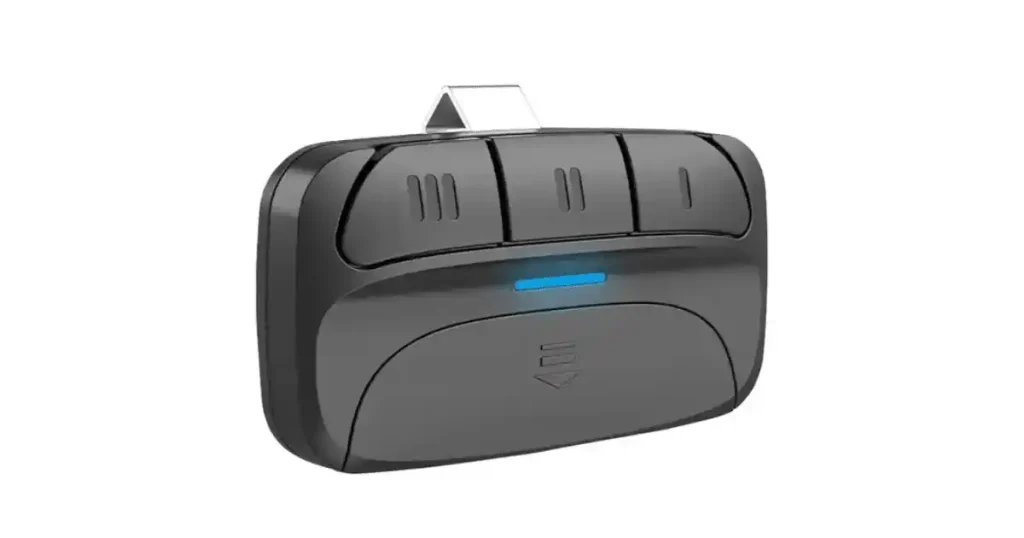
Programming a Chamberlain garage door remote is quick when you follow the right steps and confirm your opener type first. A properly paired remote helps your garage door opener respond faster, improves daily access, and reduces pairing errors that waste time.
Most Chamberlain systems use a learn button on the opener motor unit to store a new remote signal in seconds. In this guide for homeowners in Wake Forest, NC, you will learn how to program your Chamberlain garage door remote, test it, and troubleshoot common issues if it will not connect.
Why Won’t Your Chamberlain Garage Door Remote Connect?
A Chamberlain garage door remote may fail to connect when signal pairing is interrupted, memory is full, lock mode is enabled, or internal receiver components prevent the opener from correctly storing the remote’s code.
Common reasons a remote does not pair properly include:
- The battery inside the remote control is weak or improperly installed.
- The wall control is in lock or vacation mode, blocking remote signals.
- The opener’s memory is full and cannot store additional remotes.
- Signal interference from LED bulbs or nearby electronics disrupts the pairing process.
- The learn button timing window expires before the programmed button is pressed.
To understand the exact pairing failures, signal conflicts, and memory reset steps that prevent a successful connection, read our blog on Why Won’t My Chamberlain Garage Door Remote Connect?, which explains how to diagnose the problem before repeating Chamberlain garage door remote programming.
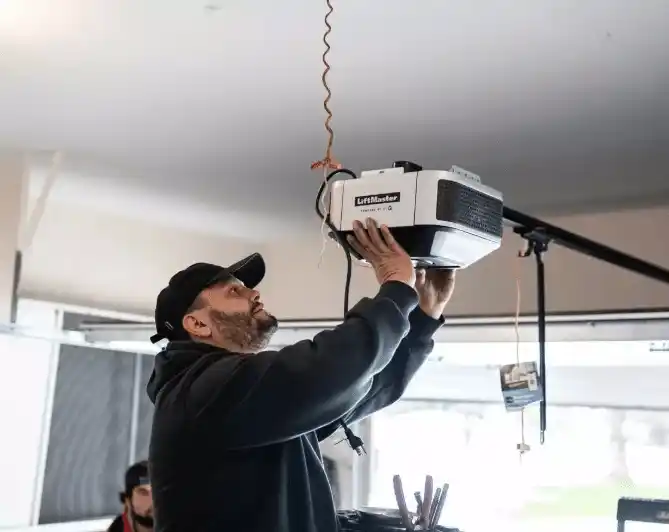
How a Chamberlain Universal Remote Works
A Chamberlain universal remote works by switching into a setup mode that matches your opener’s signal type, then it stores the programmed button code after learn mode confirms pairing.
- Enter setup mode to select the correct brand or code family before pairing.
- Use the remote’s indicator light pattern to confirm the code type was accepted.
- Send the remote signal to the opener during the learn mode window to store the pairing.
- Assign separate buttons to each door so each opener receives the correct command.
- Confirm operation by testing open, close, and range from the normal driveway distance.
Model-specific programming steps and compatibility details provide clear guidance for setting up universal remotes across different opener types and generations.
Chamberlain Garage Door Remote Programming Steps
Step 1: Identify Your Opener and Remote Type
Proper Chamberlain garage door remote setup starts by confirming the opener generation, remote model, and signal system so pairing steps match your hardware.
Key details to confirm first include:
- The remote model number is printed on the back of the remote control.
- Opener model label on the motor housing near the ceiling.
- Learn the color of the button inside the opener unit near the control panel.
- Security+ version listed on the opener or remote packaging.
- Vehicle button assignment plan for each programmed button.
Correct identification prevents pairing errors and ensures the Chamberlain garage door remote communicates properly with the opener.
Step 2: Prep the Area and Confirm Safe Door Position
Safe programming depends on starting with a stable door position, a clear space, and a responsive opener, so testing does not create unexpected movement.
Before pairing, check the following:
- Door position is set to fully closed to reduce shifting during setup.
- Driveway and interior path cleared of tools, bikes, or storage items.
- The wall control button is responding normally to confirm power and function.
- Opener light behavior is showing normal status without repeated blinking.
- Antenna wire hanging straight and unobstructed for stronger signal pickup.
Stable prep reduces false troubleshooting, and correct starting conditions make Chamberlain garage door remote programming faster and more reliable.
Step 3: Put the Opener Into Learn Mode
Learn mode opens a short pairing window that allows the garage door opener to store the remote signal in its memory.
Use this quick sequence to activate pairing mode:
- The ladder is placed securely under the motor unit for safe access.
- Light cover removed if needed to reach the control panel area.
- Learn button is located beside the antenna wire on the opener housing.
- Learn button pressed and released once to start the pairing window.
- Indicator light checked to confirm the opener is ready for programming.
Proper activation of the learn mode allows the opener to recognize the remote signal and complete the programming process successfully.
Step 4: Pair the Remote to the Opener
Pairing connects the Chamberlain garage door remote to the opener by sending the selected button signal during the learn mode window.
Follow these pairing actions for a clean connection:
- Programmed button selected on the remote control before pressing anything.
- Remote held within a few feet of the opener for stronger transmission.
- Press and hold the programmed button until the opener light flashes.
- Click sound or light flash confirmed to indicate code acceptance.
- Button released and system paused for a few seconds before testing.
Positive pairing confirmation prevents repeated attempts and helps the Chamberlain garage door remote store the correct signal for consistent operation.
Step 5: Test Range and Confirm Reliable Operation
Range testing verifies signal strength and confirms the opener responds consistently after Chamberlain garage door remote programming is complete.
A reliable test routine includes:
- First press performed from inside the garage near the door opener.
- The second press was performed from the driveway to confirm the everyday distance.
- Door travel observed for smooth start, steady motion, and full close.
- Signal response checked for delays that suggest interference or a low battery.
- Repeat the press 2 or 3 times to confirm consistency.
Strong testing confirms real-world usability and helps spot interference sources before daily use creates frustration.
Step 6: Program Additional Buttons or Remotes if Needed
Multi-button remotes let one remote control multiple doors, making them useful for multi-bay homes in Wake Forest, NC.
Common multi-door setup choices include:
- Button two is assigned to a second opener if the home has two bays.
- Button three is reserved for a gate or universal garage door opener.
- Each opener is paired separately to avoid cross-programming errors.
- Button labels added to reduce confusion during daily use.
- Every programmed button is tested after setup to confirm correct pairing.
Organized button assignment avoids cross-pairing, and selecting the right garage door clickers ensures each door responds to the correct signal.
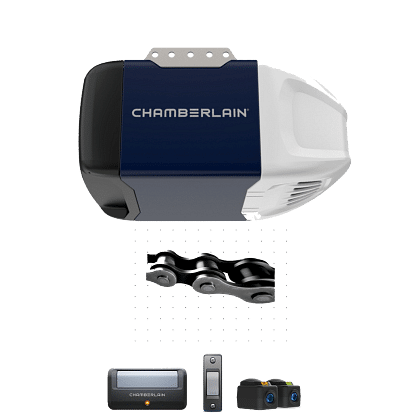
Find the Learn Button and Read Its Signals
Learn button location and indicator light behavior confirm whether the opener is ready to pair a Chamberlain garage door remote or whether programming needs to be restarted.
- Check the back or side panel of the opener motor unit near the hanging antenna wire.
- Remove the light cover if the control panel is not visible from below.
- Note the color of the learn button, since it helps narrow down compatible remotes.
- Watch the indicator light after pressing the learn button, since a steady light usually signals an open pairing window.
- Restart the pairing steps if the light turns off quickly, since the programming window may have timed out.
Understanding the location of the learn button and the indicator light behavior improves pairing accuracy and reduces programming errors.
Compatibility Basics Before You Program
Remote and opener compatibility depends on matching signal type, learn button system, and model generation, so pairing works on the first attempt.
- Match the remote model family to the opener’s learn button color and system generation.
- Confirm Security+ version compatibility to avoid pairing failures.
- Check whether the opener uses a rolling code system or an older dip-switch setup.
- Verify the opener model number on the motor housing before ordering a replacement remote.
- Choose a compatible universal option only if the remote is designed for your opener’s frequency and coding type.
Correct compatibility checks prevent wasted setup attempts and help ensure reliable operation after programming.
How to Program a Remote When You Have More Than One Garage Door
Multi-door programming works best when each button is assigned intentionally, and each opener is paired one at a time to prevent cross-pairing.
- Decide which remote button will control each door before starting.
- Program the first door completely, then exit learn mode before moving to the next.
- Stand close to the opener during pairing to reduce stray signal pickup.
- Test each button after programming to confirm it activates the correct door.
- Label the buttons or add a note in the vehicle to keep daily use consistent.
Shared pairing errors often stem from button mix-ups or stored codes, and our blog on How to Reset a Chamberlain Garage Door Remote explains how resetting clears old programming before setting up multiple doors again.
Troubleshooting When Programming Fails
Programming failures usually result from power issues, weak batteries, blocked signals, incorrect lock settings, or a missed learn mode window that prevents the opener from correctly saving the remote code.
- Replace the remote battery and confirm the contacts are seated securely.
- Disable lock or vacation mode on the wall control if the remote will not respond.
- Repeat programming closer to the motor unit to reduce signal interference.
- Replace LED bulbs that may interfere with radio-frequency transmission.
- Clear the opener memory only after confirming repeated pairing attempts fail.
Structured troubleshooting helps pinpoint signal, memory, or control-setting issues, allowing programming to be completed without repeated reset attempts.
What’s the Difference Between Chamberlain Keypads & Remotes
Choosing between a keypad and a remote depends on how you enter the garage, how many users need access, and whether you want code-based entry or a button-based device.
Feature | Keypad | Remote |
How It Works | PIN code entry on an exterior keypad | Button press from a handheld device |
Best For | Families, guests, deliveries, shared access | Daily driving, quick access from the car |
Access Method | Code-based entry | Device-based entry |
Security Control | Change PIN anytime, create temporary codes | Replace the remote if lost, erase the memory if needed |
Convenience | No device needed, works from outside | Fastest from inside the vehicle |
Typical Mounting | Exterior wall near the garage opening | Vehicle visor, keychain, or glove box |
Power Source | Battery-powered keypad | Battery-powered remote |
Multiple Doors | One keypad can be programmed to multiple doors | Multi-button remotes can control multiple doors |
Garage door keypads simplify shared access and code control, while remotes excel at fast daily entry, so the best choice depends on how your household uses the garage.
Replacing a Lost Remote and Re-Securing Access
Lost remotes should be treated as an access issue first, so clearing old codes and pairing a replacement will keep the opener secure and restore reliable entry.
- Erase existing remote codes from the opener memory if the missing remote might be in someone else’s hands.
- Confirm the replacement remote matches your opener’s learn button system before pairing.
- Program the new remote during the learn mode window and test full open and close travel.
- Reconnect any additional remotes or a keypad once the replacement is confirmed working.
- Store the new remote securely and keep a spare option available for emergencies.
Replacement is easiest when code clearing and re-pairing are done in the correct order, so our blog on How Do I Replace a Chamberlain Garage Door Remote? walks through the safest setup sequence and what to do if pairing still fails.
Program Your Chamberlain Garage Door Remote With Confidence
Programming a Chamberlain garage door remote is easier when learn mode, timing, and careful testing are handled in the right order. Reliable setup keeps daily access smooth, improves signal consistency, and reduces repeat pairing issues.
DoorJam Garage helps homeowners in Wake Forest, NC, with remote setup, keypad support, and opener troubleshooting to restore dependable operation. If pairing fails or the system does not respond consistently, contact us or give us a call today for fast, friendly support.