
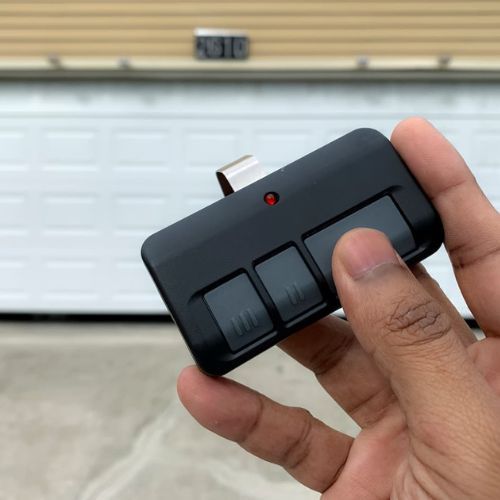
A Chamberlain garage door remote is designed to communicate instantly with your garage door opener, but connection problems can prevent the system from responding. When the signal fails, the issue may be due to compatibility conflicts, signal interference, memory limits, or internal receiver faults.
If your Chamberlain garage door remote will not pair or suddenly stops working, identifying the underlying cause is critical before replacing parts unnecessarily. This guide explains why connection failures happen, what symptoms to watch for, and when professional inspection is the most reliable solution in Wake Forest, NC.
Can Programming Fix a Chamberlain Remote Connection Problem?
A Chamberlain garage door remote may still fail to connect if programming mode never completes due to compatibility limits, interference, lock settings, or receiver memory restrictions that prevent the signal from being saved.
Common causes of connection failure include:
- Radio-frequency or security protocol mismatch between the remote and the opener.
- The learn button programming window closes before pairing completes.
- Lock mode disables remote acceptance even though wall controls still work.
- Signal interference is disrupting transmission inside the garage.
- The receiver memory is reaching capacity and rejecting additional devices.
Programming-related breakdowns are explained in our blog on How Do You Program a Chamberlain Garage Door Remote?, which outlines what must happen for the remote to save correctly and operate reliably.
Top Reasons a Chamberlain Remote Will Not Connect
Remote and Opener Are on Different Compatibility Series
Compatibility mismatches stop a Chamberlain garage door remote from pairing because the remote’s signal type and the opener’s receiver technology must match before the system can store a new connection.
Compatibility warning signs often include:
- Older units that rely on DIP switch coding instead of rolling-code security
- Learn the button color on the opener that does not align with the remote’s supported series
- Replacement remotes bought by shape alone, rather than by model compatibility
- Pairing attempts that never trigger any acknowledgement light or sound
- Mixed setups where one remote worker works on one door but not another
Chamberlain explains how the learn button color ties to radio technology and accessory matching, which helps confirm whether the remote is compatible with the opener before pairing is attempted.

Learn Button Timing Window Was Missed During Pairing
Pairing failures often happen because the opener accepts new remote signals only during a short programming window after the learn button is pressed.
Timing-related indicators may include:
- A quick exit from pairing mode before the programmed button is pressed
- Early remote presses that occur before the opener is ready to capture a signal
- Delayed presses that happen after the learn window has already closed
- Repeated attempts that never create a stored connection response
- A pairing attempt that looks successful once, then immediately fails again
Pairing window issues usually show up as consistent non-connection, even though the remote control appears to transmit reliably.
The Opener Is in Lock Mode or Remote Lockout Is Active
Lock settings can prevent any remote signal from being accepted, making a working transmitter appear unable to connect to the opener.
Lockout patterns commonly show up as:
- The wall control operation is working normally, while the remote control does nothing
- A door opener keypad responding inconsistently or not at all
- Multiple remotes are failing at the same time with no change in batteries
- A steady behavior change that starts suddenly after normal operation
- Pairing attempts are failing with no confirmation response from the opener
Remote lockout often ties back to wall-station access controls, and garage door keypads explain how those settings can disable remotes while local controls still respond.
Weak Remote Battery Causes Inconsistent Signal Transmission
Low battery output can reduce signal strength enough that the garage door opener never receives a clean pairing command or a reliable run command.
Battery weakness often shows up through:
- Short-range performance that works only close to the opener
- Multiple button presses are needed for one response
- A dim or inconsistent indicator light on the remote face
- Random connection dropouts that come and go during the day
- Noticeably worse results during colder mornings or evenings
Battery-related failures can mimic interference or receiver trouble, especially when range decreases before full failure occurs.
RF Interference Is Blocking Communication in the Garage
Signal interference can block communication between the remote and opener, especially in garages where lighting and wireless devices generate radio noise.
Interference tends to be suspected if:
- Range changes depending on which lights are on
- Performance improves with the car outside, but fails inside the garage
- Several remotes behave the same way at the same time
- The remote work works sporadically rather than failing consistently
- Pairing succeeds once and then becomes unreliable again
Chamberlain outlines common causes of poor range and radio frequency interference, including how certain LED bulbs can disrupt remote signals.
The Opener’s Receiver or Logic Board Is Not Accepting New Remotes
Receiver-side failures can prevent a Chamberlain garage door remote from connecting even when compatibility and timing are correct.
Receiver trouble often presents as:
- No response from the learn button indicator during programming attempts
- Previously, working remotes were failing together without warning
- Intermittent response patterns that worsen over time
- A loose or damaged antenna wire that reduces signal capture
- Abnormal behavior after a power event or electrical surge
A non-responsive receiver suggests an internal control issue rather than a remote mistake, which is why garage door motors relate to the drive and electronics that influence signal response.
The Remote Memory Is Full and Needs Space for New Devices
Memory limits inside the opener can block new pairing attempts because the receiver cannot store additional remote profiles once capacity is reached.
Memory-limit behavior can include:
- Pairing mode starts but never completes a saved connection
- New devices are failing right after additional accessories were added
- A keypad and multiple remotes are already linked to the same opener
- Inconsistent performance after adding smart accessories like myQ
- One remote drops out soon after another remote is added
Pairing can fail even with correct timing if the opener has reached its device limit, so garage door clickers help clarify how stored-remote capacity affects connection success.
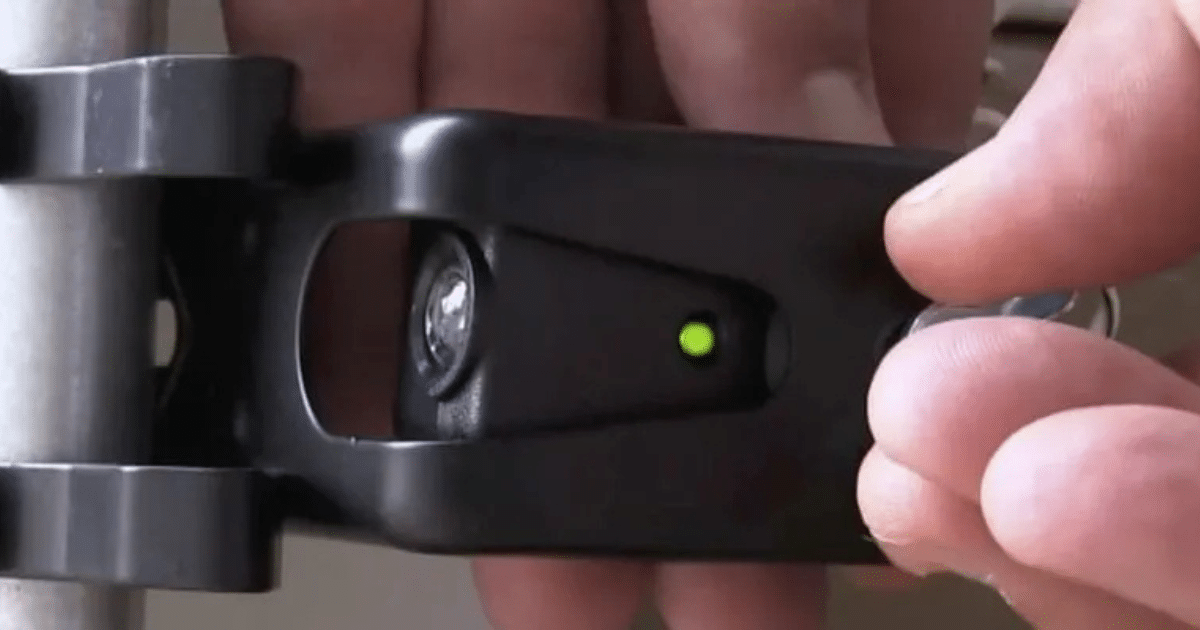
Wall Control or Safety Sensor Issues Are Disrupting System Readiness
System faults can interrupt programming because the opener prioritizes the safe operation of the garage door and may refuse to program during certain error states.
Readiness problems often show up with:
- Sensor indicators that do not show stable alignment behavior
- A wall control panel acting inconsistently or resetting unexpectedly
- The door reversing, stalling, or stopping mid-cycle during normal use
- Diagnostic light activity that appears even without programming attempts
- Remote pairing failures that coincide with other operational symptoms
Readiness-related issues usually tie pairing failures to a broader opener condition rather than a single remote problem.
Remote Is Damaged, or Its Internal Contacts Are Worn
Wear and impact damage can prevent the remote from sending a stable signal, which can stop pairing even though the buttons still click and the light still flashes.
Physical failure signs often include:
- Soft, sticky, or inconsistent button feel during presses
- A remote shell with cracks from drops or heavy use
- Corrosion inside the battery compartment from moisture exposure
- One button works while another button fails repeatedly
- Reliable operation is disappearing after a recent drop in water contact
Hardware wear can create an uneven signal pattern that can appear to be a programming issue, even though the root cause is inside the remote.
Multiple Doors or Nearby Openers Are Causing Cross-Signal Confusion
Cross-signal conflicts can disrupt pairing when nearby systems operate in overlapping ranges or when the remote was previously linked to a different opener.
Cross-signal conditions often involve:
- Multi-door garages where different opener models share the same space
- A remote that activates the wrong door or triggers an inconsistent response
- Nearby openers in close neighborhoods affect signal behavior
- A universal remote was added recently, without isolating which unit was targeted
- Pairing attempts that succeed on one door but fail on another
Signal overlap problems are most common in multi-opener environments, and the pattern often appears as random connection failures rather than a single broken part.
Compatibility Matters for a Remote Control for a Chamberlain Garage Door Opener
Compatibility matters because a remote control for a Chamberlain garage door opener will only connect reliably when the remote’s radio technology and security protocol match what the opener’s receiver is built to recognize.
- Learn button color and opener series must align with the remote model being used.
- Rolling-code systems and older DIP switch systems do not pair across generations.
- Frequency and protocol mismatches often cause repeated pairing failures with no confirmation response.
- Universal remote options can work, but only when the supported Chamberlain format is verified first.
- Range and interference symptoms can appear to be programming issues, even when the real problem is compatibility.
Matching the correct remote type to the opener’s supported series reduces failed pairing attempts and helps restore consistent, secure operation without repeated connection dropouts.
Professional Diagnosis for Connection Problems
Professional diagnosis is the safest way to confirm why a Chamberlain garage door remote will not connect because testing can separate signal interference, compatibility conflicts, and opener-side receiver faults without guessing.
- Signal range testing checks whether interference or weak transmission is blocking reliable communication.
- Compatibility verification confirms the remote series matches the opener’s learn button system and supported protocol.
- Receiver and circuit testing identify whether the opener can still store and recognize new remote signals.
- Accessory checks review whether a keypad, wall control, or smart add-on is affecting pairing behavior.
- System evaluation confirms the opener is operating normally and not blocking programming due to a fault state.
Accurate testing leads to the right repair path and helps restore stable pairing, consistent range, and dependable daily operation without repeated connection failures.
When to Reset vs When to Replace the Remote
When a Reset Is the Practical Step
Resetting a Chamberlain garage door remote is often the most practical next step when the connection failure is caused by a stored pairing glitch, a change in lock settings, or a recent power or battery event that disrupted normal signal recognition.
- Remote response stopped after a battery change, power outage, or brief electrical interruption.
- The opener accepts other controls, but the remote no longer triggers consistent operation.
- Pairing attempts appear to start, but the opener never confirms a saved connection.
- A lock feature was enabled previously, and remote access now appears blocked.
- The remote was recently linked to another door and now behaves inconsistently.
Reset-related issues are covered in our blog on How to Reset a Chamberlain Garage Door Remote, which explains why stored-device conflicts occur and how professionals restore stable pairing without repeated failures.
When Replacement Is the Reliable Fix
Replacement becomes the reliable fix when a Chamberlain garage door remote cannot maintain a stable signal due to internal wear, physical damage, or repeated pairing failures, which point to a transmitter problem rather than a temporary connection issue.
- Buttons feel inconsistent, stick, or stop responding, even with a fresh battery.
- The remote works only at very close range, and performance keeps getting worse.
- Moisture exposure or corrosion is visible inside the battery compartment.
- Pairing attempts never store successfully,y even after multiple verified tries.
- One remote consistently fails, while the other controls the opener normally.
Replacement scenarios are explained in our blog on How Do I Replace a Chamberlain Garage Door Remote?, which covers compatibility factors and what professionals confirm before selecting a new remote that will connect reliably.
Get Your Chamberlain Garage Door Remote Connecting Again in Wake Forest, NC
A Chamberlain garage door remote that will not connect is often tied to compatibility gaps, signal interference, memory limits, or a receiver issue inside the opener, and identifying the exact cause helps prevent repeat failures. Restoring stable pairing ensures dependable daily access and reduces the risk of added strain on the system.
DoorJam Garage supports homeowners in Wake Forest, NC, with professional testing and repair for Chamberlain garage door remote connection problems and related opener concerns. If pairing keeps failing or range keeps dropping, contact us or give us a call today to schedule an inspection and get reliable operation back.